
Extend any videobeyond its frame with AI
Keep the original and widen the frame — wide, tall or both. Just pick a clip and a size.
Reviewed generation samples. Click one to preview it above.
Every new screen costs your content
When the display ratio changes, footage has to be cropped, stretched or left with empty bars. VISTEND reads the scene's context and generates what lies beyond the frame — filling the screen while keeping the original intact.
Every new format adds more edits and more cost.
- Original-first
- Context-aware
- Per-ratio generation
- Edge & motion review
One master for wide, tall and curved screens.
All four use the same source fitted to the same 8:9 ratio. Generated results are reviewed for edges, context and motion.
Where can you use VISTEND?
One video. Every screen. Every platform.
- USE CASES · 01
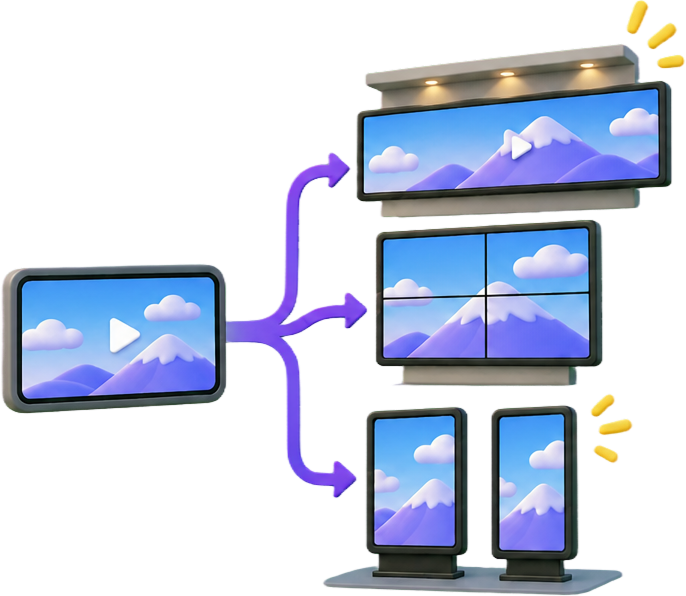
Multi-Screen Digital Signage
One video, endless display formats.
Adapt a single video to multiple screens — from vertical signage to ultra-wide LED walls — without cropping or stretching.
Example output formats- 9:16
- 1:1
- 21:9
- 32:9
- USE CASES · 02
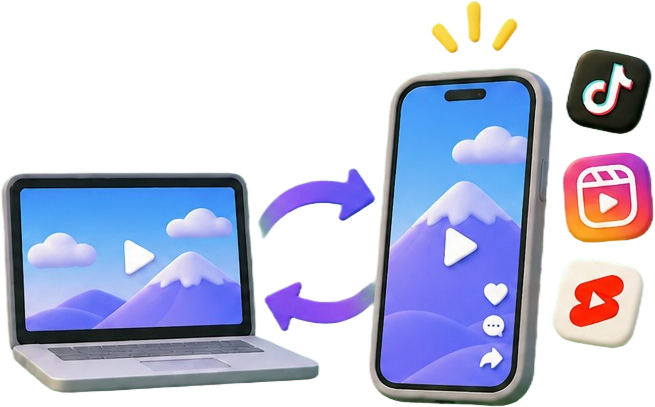
Social Media Content
From widescreen to vertical. And back again.
Turn landscape videos into vertical short-form content for TikTok, Reels, and Shorts — or expand vertical videos back to widescreen.
Platforms- TikTok
- Reels
- Shorts
- 16:9 → 9:16
One scene, a wider view
We bring in the world beyond the frame and give your scene room to breathe.
1024 × 576 · Which way should it grow?
What Makes VISTEND Different?
Built for edited, multi-shot videos, VISTEND preserves camera perspective, cinematic intent, facial expressions, and physically consistent motion as it extends each scene.
Camera & FOV Awareness
Understands camera angle, FOV, and scene perspective
Shot & Narrative Awareness
Preserves structure across cuts and shot changes
Character Consistency
Maintains the same face, expression, and identity
Physics-Consistent Motion
Keeps motion natural across objects, wings, and interactions
VISTEND is a context-aware video outpainting engine
that keeps scenes and characters consistent.
Different scenes
Wider in any direction
See all three ways to extend across a variety of real scenes.
Click any video to view it largerSwitch between input and result · These are past generations, and quality varies by scene.
Producing a Dome Show?
We're seeking production studios and immersive content creators to explore AI-powered video outpainting for dome theaters, curved displays, and large-scale projections.
Work directly with our R&D team to adapt your existing footage for new immersive environments.
A plan for the way you work
Try it free first, then pay as you go or choose a monthly allowance.
Plans are recommended by your video scale. Higher resolutions and longer videos use more units.
Free trial
Try VISTEND with your own video
Pay as you go
Flexible credits with no subscription
Starter
ProRecommended
All prices are in USD and include tax. · Subscriptions are coming soon. Contact us to discuss a plan.
Planning a bigger project?
Flexible contracts for studios and organizations with high-volume video production needs.
More credits for larger production workflows.
Studio
Before you start.
Is my original video preserved?
Yes. If preprocessing is needed, we use a separate input for generation, and you can review every change in the workspace.
Can I adjust preprocessing myself?
Yes. Automatic settings are the default; switch to manual to keep or remove black bars and change the generation input size.
When do I see the cost?
Once the clip and options are set, we show this job's price or subscription usage before generating.
Widen your scene.
Fill wide, tall, and curved screens from a single source video. See it for yourself with a free trial.